
IP camera projects often look straightforward on a wiring diagram: run an Ethernet cable, terminate both ends, connect the camera to a PoE switch or injector, and test the link. In practice, the connector is one of the small components most likely to create avoidable service calls.
A plug that does not match the cable can be difficult to terminate, may not grip the cable jacket correctly, or can produce an unreliable connection after the cable is moved, exposed to vibration, or installed in a tight enclosure. Outdoor projects add more variables, including moisture protection, cable routing, temperature changes, and electrical interference near equipment.
This guide is for security installers, low-voltage contractors, distributors, and OEM buyers who need to select RJ45 plugs for PoE-powered IP camera installations. It focuses on the decisions that affect real installation work: cable compatibility, connector style, shielding, field termination, weather protection, and sample validation.
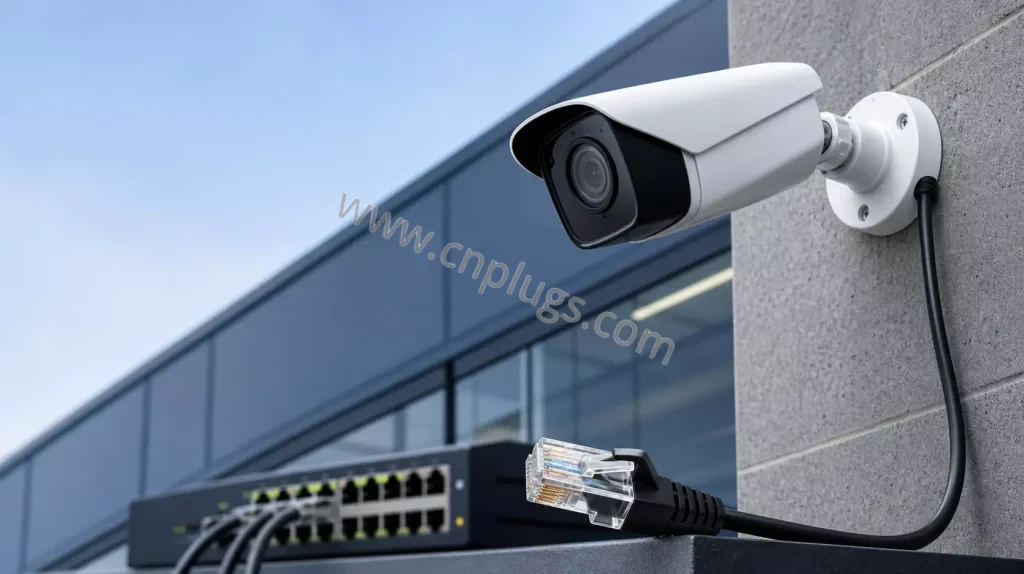
Figure 1. In an IP camera system, connector selection should be considered together with the cable, PoE equipment, enclosure, and installation environment.
The short answer
For a typical indoor IP camera run using compatible Cat5e or Cat6 UTP cable, select a UTP RJ45 plug that matches the cable’s conductor gauge, solid or stranded construction, insulation diameter, and overall cable diameter.
For an outdoor camera, the RJ45 plug itself is only one part of the connection. Select a plug that matches the cable, then use a suitable weatherproof junction box, gland, or rated enclosure to protect the terminated connection. A standard RJ45 plug is not a weatherproof connector on its own.
For industrial sites, long cable routes near power equipment, or installations specified with shielded cabling, use a connector designed for the actual shielded cable and follow the complete shielding and grounding plan.
Why the RJ45 plug matters in a PoE camera system
Power over Ethernet carries data and DC power through the same Ethernet cable. This makes camera installation efficient, but it also means the cable termination must be mechanically sound and electrically consistent.
An improperly selected or poorly terminated connector can lead to symptoms such as:
- Camera not powering up from the PoE switch
- Link LEDs that are intermittent or do not negotiate correctly
- Camera disconnects after the cable is moved or the enclosure is closed
- Unstable video stream or repeated reconnection events
- Failed cable test results
- Weak strain relief at the camera end
Not every issue is caused by the plug; the switch, cable length, camera power demand, cable quality, and environmental conditions also matter. However, correct plug-to-cable compatibility is a basic requirement that should be verified before the project begins.
Start with the actual cable, not the product name
A label such as “Cat6 cable” does not provide enough information to choose an RJ45 plug. Two Cat6 cables can have different physical dimensions and conductor constructions.
Before selecting a plug, collect these details from the cable datasheet or a physical sample:
- Cable category: Cat5e, Cat6, Cat6A, or other
- Bare conductor size: for example, 23 AWG, 24 AWG, or 26 AWG
- Conductor construction: solid or stranded
- Insulated conductor diameter, if available
- Overall cable outside diameter
- UTP or shielded construction
- Indoor, outdoor, direct-burial, or industrial jacket type
For fixed camera runs, solid-conductor horizontal cable is common. Flexible patch leads often use stranded conductors. The contact design in the plug must be suitable for the cable construction, so this distinction is important.
For a detailed wire-gauge reference, see How to Choose the Right RJ45 Plug for 23 AWG, 24 AWG, and 26 AWG Cable.
The four selection questions installers should ask
1. Does the plug fit the conductor and insulation size?
The eight conductors need to enter the plug channels cleanly and reach the contact area without force, crushing, or excessive looseness. A connector designed around a larger 23–24 AWG Cat6 cable may not be appropriate for a slim 26 AWG patch cable. Conversely, a plug made for small conductors can be difficult to use with a larger solid cable.
Check the manufacturer’s stated AWG range, but do not stop there. Insulation thickness can vary between cable brands, so testing the exact cable is the safest approach.
2. Is the cable solid or stranded?
Solid conductors are common in permanent cable runs from a PoE switch to a camera location. Stranded conductors are common in short flexible leads, service loops, and pre-made patch cords.
The contact blades inside an RJ45 plug pierce the insulation and engage the conductor. Some contact designs are specified for solid cable, some for stranded cable, and some for both. Confirm the plug’s stated compatibility instead of assuming all RJ45 plugs work equally well with either construction.
3. Is UTP enough, or is shielded cable required?
For many office, retail, residential, and standard commercial surveillance projects, a compatible UTP cable and UTP connector are appropriate.
A shielded plug may be required when the selected cable is shielded or when the project design calls for a shielded channel. This is more common near motors, drives, inverters, industrial equipment, or other locations with significant electrical noise.
Shielding is not a plug-only feature. The cable, connector, jack, panel, equipment interface, and grounding approach must work together. Read UTP vs. STP RJ45 Plugs: When Should You Use Shielded Connectors? for a full comparison.
4. Will the connection be inside a protected enclosure?
A camera mounted outdoors may be IP-rated, but the RJ45 connection is often protected separately inside a camera base, junction box, or weatherproof enclosure. Confirm where the connector will sit after installation.
If the termination is exposed to weather, select a suitable outdoor-rated connection solution rather than relying on a standard plug alone. Check cable-gland size, bend radius, enclosure space, and whether the completed connector can be serviced later.
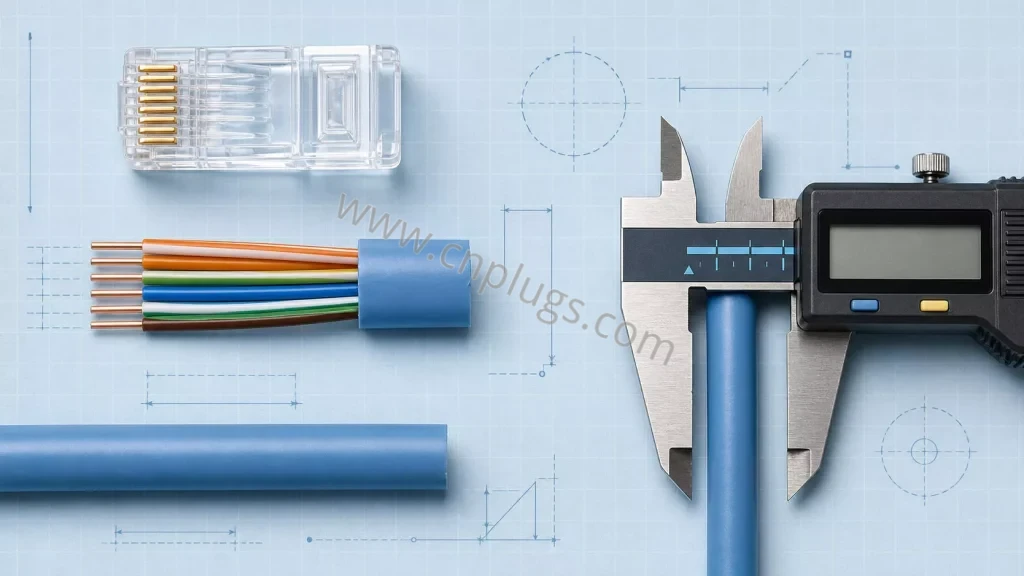
Figure 2. Cable gauge is only one part of connector compatibility. Insulated conductor diameter and the finished cable outside diameter should also be checked.
Pass-through or standard RJ45 plug for camera installation?
Both styles can be used when they match the cable and installation process.
Pass-through plugs
A pass-through RJ45 plug allows the conductors to extend through the front of the plug. The technician can inspect the T568A or T568B color order before crimping. A compatible pass-through crimp tool crimps the contacts and trims the protruding wire ends.
This can be useful for camera installation because terminations are often made on ladders, in ceilings, inside junction boxes, or in other constrained field conditions. The visible wire order can make a final pre-crimp inspection quicker.
For compatible Cat6 UTP solid or stranded cable in the stated 23–24 AWG range, PROUNTA’s EZ Pass-Through Cat6 RJ45 Unshielded Modular Plug is one option designed for this workflow.
Standard closed-end plugs
A standard RJ45 plug has a closed front. Conductors are trimmed evenly before they are inserted into the plug. This is a familiar workflow for many installers and can be efficient when the team already uses standard crimp tools and established procedures.
The practical decision
Choose the style that your technicians can terminate consistently with the actual cable and a compatible tool. A pass-through design does not eliminate the need for testing, and a standard plug is not automatically slower in the hands of an experienced installer.
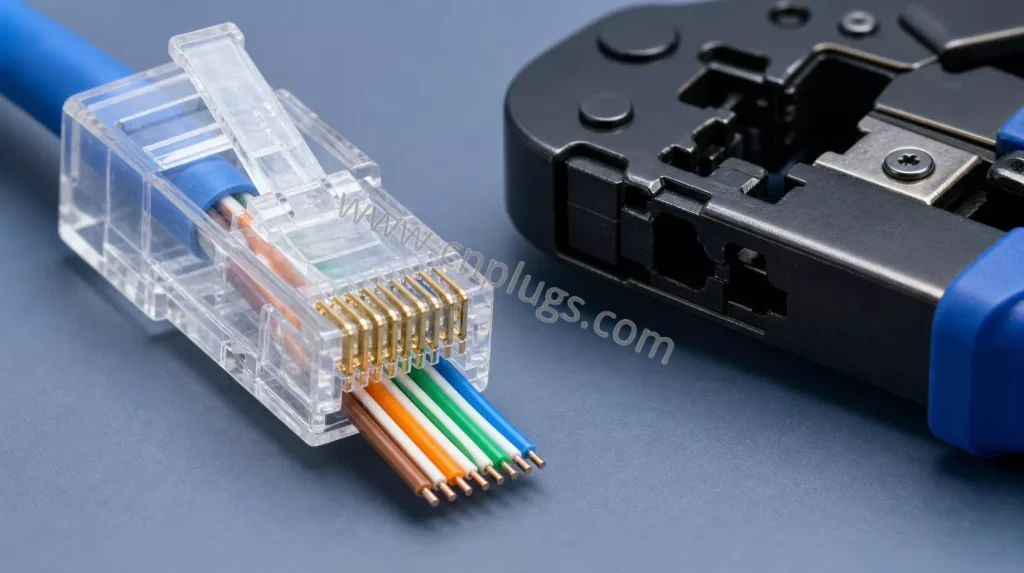
Figure 3. Pass-through plugs make the conductor order visible before crimping; use a tool compatible with the specific plug design.
Outdoor camera installations: what the plug cannot solve by itself
A standard RJ45 plug is an indoor connector component. It does not by itself provide an IP rating, UV resistance for an exposed connection, or protection against water ingress.
For outdoor IP camera work, review the entire physical connection:
Weather protection
Use a camera base, weatherproof junction box, or rated enclosure that protects the plug and jack from water, dust, and direct exposure. Follow the enclosure manufacturer’s installation instructions, including cable-gland sizing and sealing requirements.
Cable selection
Choose cable suitable for the route. Outdoor-rated or UV-resistant cable may be required for exposed runs. Direct-burial, aerial, conduit, and building-entry applications can each have different cable requirements.
Drip loops and cable routing
Plan cable entry so water does not run directly toward an enclosure opening. Avoid sharp bends, crushed cable, and unsupported cable weight on the connector.
Service access
A connector may work perfectly at installation but become difficult to service if there is no room to unplug it or re-terminate the cable inside the camera base. Check enclosure space before choosing a bulky boot or metal plug.
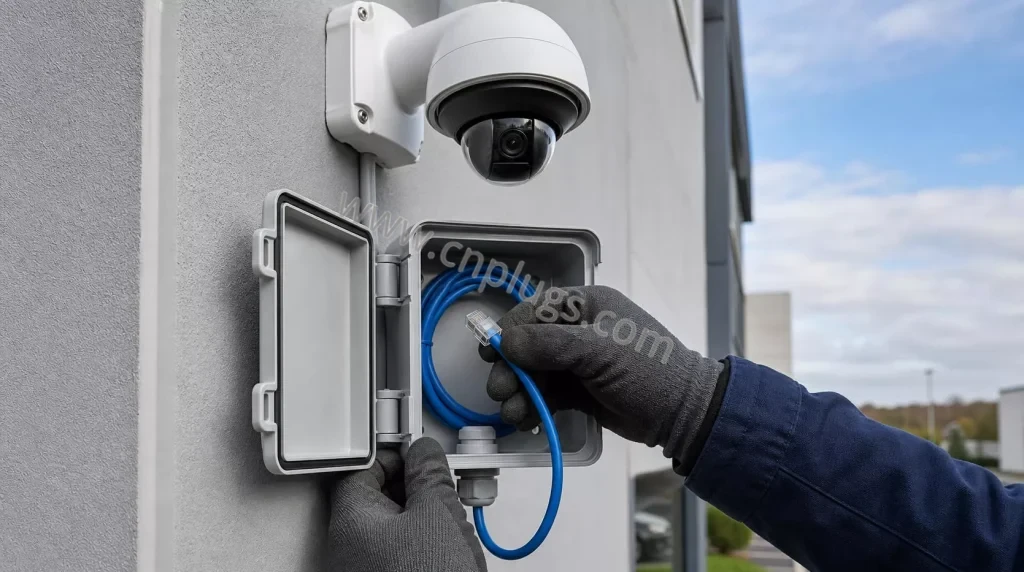
Figure 4. In outdoor projects, a suitable enclosure and cable-entry seal protect the connection; the RJ45 plug alone is not weatherproof.
PoE considerations for connector buyers
PoE capability is a system question. The cable, connector, switch or injector, camera power requirement, installation length, ambient conditions, and applicable standards all contribute to the final result.
When sourcing RJ45 plugs for PoE camera projects, buyers should ask suppliers for clear information about:
- Supported cable gauge and conductor type
- Contact material and plating specification
- Plug housing material
- Compatible cable outside diameter
- Contact design for solid and/or stranded conductors
- Intended product category and application
- Available test information and quality-control process
Avoid using vague descriptions such as “PoE ready” without a defined cable and application context. A better purchasing specification identifies the real cable, intended camera system, and required test process.
Installation checklist for technicians
Before closing the camera enclosure, complete these checks:
- Confirm the cable type. Verify that the cable matches the selected plug’s published compatibility range.
- Use one wiring standard. Follow the project’s specified T568A or T568B sequence consistently.
- Keep pair untwist short. Preserve pair twist as close as practical to the connector to support link performance.
- Seat the cable jacket correctly. The plug’s strain-relief area should grip the outer jacket, not only individual conductors.
- Use the right tool. A pass-through plug requires a compatible pass-through crimp tool; standard plugs require a compatible conventional crimper.
- Inspect the plug. Check conductor order, contact position, latch condition, and clean trimming of pass-through wire ends.
- Test before final mounting. At minimum, verify wire map and continuity. Use the level of link testing required by the project.
- Protect the connection. Confirm that the final enclosure, gland, gasket, and cable route protect the terminated link from its environment.
Common problems and likely causes
| Symptom | Possible connector or installation causes | First checks |
|---|---|---|
| Camera does not power on | Incorrect wire map, incomplete contact engagement, damaged cable, PoE budget issue | Test wire map and continuity; verify switch/injector and camera requirements |
| Link drops after moving the cable | Weak strain relief, unsuitable plug for cable diameter, partially seated conductor | Inspect jacket grip and contact position; re-terminate with a matched plug |
| Camera works indoors but fails after outdoor installation | Moisture ingress, cable damage, enclosure or gland issue, temperature-related cable stress | Inspect weather sealing, cable entry, and connector condition |
| Intermittent image or network errors near machinery | Cable route close to EMI sources, unsuitable system design, grounding/shielding issue | Review cable path and project shield requirements; test the complete link |
| Plug is difficult to load | Plug channels too small, cable insulation too large, incorrect plug style | Verify actual AWG, insulated conductor diameter, and plug compatibility |
What distributors and OEM buyers should include in an RFQ
A useful request for quotation should include more than “Cat6 RJ45 plug for CCTV.” Provide:
- Target application: indoor IP camera, outdoor camera, industrial CCTV, or general network use
- Cable category and manufacturer or cable datasheet
- Conductor gauge and solid/stranded construction
- Insulated conductor diameter and cable outside diameter, if available
- UTP or shielded cable construction
- Standard or pass-through plug preference
- Required contact plating or quality standard, if specified
- Packaging format: bulk bag, installer kit, retail pack, or private label
- Sample quantity and test method
- Expected purchase volume and delivery market
This helps the supplier recommend a compatible plug and reduces the chance of a mismatch during field installation.
Frequently asked questions
Do PoE IP cameras need a special RJ45 plug?
Not necessarily. The plug must be compatible with the cable and suitable for the installation, but the “PoE” label alone does not define one universal connector. Confirm conductor size, cable construction, contact design, and the complete system requirement.
Can I use a normal indoor RJ45 plug outside?
A standard plug can be used inside a properly sealed and appropriate outdoor enclosure. It should not be treated as weatherproof when exposed directly to rain, dust, or UV conditions.
Should I use shielded RJ45 plugs for all outdoor cameras?
No. Select shielding based on the actual cable and system design, not simply because the camera is outdoors. A shielded cable system may be appropriate in some environments, especially where electrical noise is a concern, but it must be designed and grounded correctly.
Is a pass-through RJ45 plug suitable for CCTV installation?
It can be a practical choice for compatible cable, especially for field terminations where visual confirmation of wire order is helpful. Use a crimp tool compatible with the plug and test the finished cable.
Why is the camera connection unreliable even though the plug looks correct?
The problem may involve conductor contact, cable damage, a weak strain-relief grip, water ingress, incorrect wire order, PoE equipment capacity, or a network configuration issue. Start with cable testing and a close inspection of the complete termination.
Final recommendation
For PoE IP camera installations, select the RJ45 plug from the cable specification and field environment—not from a generic product label. Confirm conductor size, solid or stranded construction, insulated conductor dimensions, cable outside diameter, shielding requirement, plug style, and tool compatibility.
For outdoor installations, treat environmental protection as a separate design requirement: use the appropriate cable route, junction box, cable gland, and enclosure. For shielded systems, evaluate the entire channel and grounding plan.
Need help matching a connector to your Cat5e, Cat6, Cat6A, UTP, or shielded camera cable? Contact PROUNTA with the cable specification and application details to discuss samples and packaging options.
 WeChat ID: